
Accurate Balloon Payment Calculator
What is a balloon loan?

Balloon payment calculator solves for the periodic payment amount or final balloon payment amount. Create schedules with dates. Supports extra payments.
- Solves for 5 unknowns.
- Supports extra payments and user selectable dates.
- Creates a printable payment schedule.
- Now export to XLSX/DOCX files.
You can structure a loan to meet your specific needs.
Balloon loan—a light-sounding name for a financial product that can involve significant risk.
A balloon loan has its regular periodic payment calculated using one term (for example, 30 years), while the final payment is due earlier (for example, in 7 years).
Wikipedia defines a balloon loan or mortgage as a loan:
which does not fully amortize over the term of the note, thus leaving a balance due at maturity. The final payment is called a balloon payment because of its large size.
This Balloon Loan Calculator not only calculates the final balloon payment—it also helps you structure a loan to meet your specific needs.
Consider these common loan scenarios:
- If you want to know what periodic payment will result in a specific final balloon amount, this calculator will calculate the regular payment.
- If you need to set the regular payment to an agreed-upon, nontraditional amount before calculating the balloon, this calculator can do that as well.
- If you have a budget for both the periodic payment and the balloon payment and you want to know how much you can borrow, this calculator can use your inputs to calculate the loan amount.
- If you want to lower the periodic payment even further, you can select interest-only payments.
- If you want the periodic payment calculated using a 30-year term while the balloon is calculated using a 7-year term, you can do that calculation too. See “Doing the Two-Step” below…
The Calculator-Calculate the Periodic Payment, Final Balloon Amount, or Number of Payments
To set your preferred currency and date format, click the “$ : MM/DD/YYYY” link in the lower-right corner of any calculator.
Information
Using the Balloon Loan Calculator
Quickly
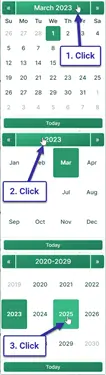
Pick a Date
As mentioned, a balloon loan is a loan that has its regular periodic payment calculated using one term (for example, 30 years) while the last payment is due sooner (for example, in 7 years).
If you do not know the amount of the regular loan payment, then we must calculate it before we calculate the final balloon amount.
Example: Assume you are considering a mortgage for $146,500. You want the monthly payment calculated based on a 30-year loan, but you will pay the balance after 72 months.
Doing the Two-Step
Step 1: Enter:
| Loan Amount?: | $145,500.00 |
| Annual Rate?: | 4.5000% |
| Balloon Due at Payment? (#): | 360 |
| Periodic Payment?: | $0.00 |
| Final/Balloon Payment (can be 0)?: | $0.00 |
When you enter “0” for both “Periodic Payment” and “Final/Balloon Payment,” you are setting up the calculator to calculate a level payment for the entire term of the loan. This means the final payment will not be a balloon payment.
Click “Calc” to see the results. $737 is the regular payment amount for a 30-year loan. (The final payment is rounded by less than $2.00, or less than $0.01 per regular payment.)
| Periodic Payment?: | $737.23 |
| Final/Balloon Payment (can be 0)?: | $735.27 |
Step 2: Now calculate the balloon payment amount. With the balloon due after six years, set the calculator as follows:
| Loan Amount?: | $145,500.00 |
| Annual Rate?: | 4.5000% |
| Balloon Due at Payment? (#): | 72 |
| Periodic Payment?: | $737.23 |
| Final/Balloon Payment (can be 0)?: | $0.00 |
Click “Calc,” and this is the balloon that will be due in the final month of the sixth year if the debtor makes payments based on an assumed 30-year term:
| Final/Balloon Payment (can be 0)?: | $130,433.50 |

If the goal is to know the balloon payment amount, then you are finished.
However, with this calculator, it is possible to do more. You can structure a loan the way you want.
Other scenarios — very flexible!
| Loan Amount?: | $145,500.00 |
| Annual Rate?: | 4.5000% |
| Balloon Due at Payment? (#): | 72 |
| Periodic Payment?: | $0.00 |
| Final/Balloon Payment (can be 0)?: | $100,000.00 |
| Result: | |
| Periodic Payment?: | $1,110.73 |
| Loan Amount?: | $145,500.00 |
| Annual Rate?: | 4.5000% |
| Balloon Due at Payment? (#): | 72 |
| Periodic Payment?: | $2,000.00 |
| Final/Balloon Payment (can be 0)?: | $0.00 |
| Result: | |
| Final/Balloon Payment (can be 0)?: | $27,541.94 |
| Loan Amount?: | $0.00 |
| Annual Rate?: | 4.5000% |
| Balloon Due at Payment? (#): | 72 |
| Periodic Payment?: | $1,000.00 |
| Final/Balloon Payment (can be 0)?: | $50,000.00 |
| Result: | |
| Loan Amount?: | $84,794.97 |
A Balloon Loan with Extra Payments
The calculator’s support for extra payments is very flexible. First, you will notice that the calculator prompts you for the “Extra Payments Start?” date. Therefore, you can schedule extra payments between the regular due dates if that timing is better for your cash flow.
As mentioned elsewhere, the calculator allows for a one-time extra payment or for multiple extra payments. The multiple extra payments can be for two payments or any number of payments until the loan is paid in full. (In that case, set the number of extra payments to “Unknown.”)
When the extra payments are “off-schedule,” the calculator prepares an expanded report. The report shows the extra payment applied 100% to principal while interest continues to accrue.

Note how the interest-only payment drops from $545 to $526 after the extra payment.
This is the correct way to apply the payment—something that other online calculators do not usually handle properly, if they allow extra payments between regular payments at all.
The Interest-Only Payment Method is a Special Case
Most frequently, the periodic payments are allocated to both principal and interest. With each payment, the loan balance is reduced.
But what if the borrower wants to pay even less per period?
In that case, the lender may agree to make the balloon loan one where the borrower pays only the interest due on each payment date. Paying only the interest each period reduces the payment amount even further for the borrower.

This calculator supports interest-only payments (select the option under “Amortization Method”). If you select this option, the calculator works slightly differently.
- First, the balloon payment will always be equal to the loan amount. Therefore, it is not possible to solve for the balloon payment.
- Viewed in a different way, the user cannot provide a periodic payment amount. The calculator will always calculate the regular payment amount, because it is the interest due.
- When you introduce extra payments into the interest-only cash flow, the calculator’s main window shows the amount of the first interest-only payment. After each prepaid principal amount, subsequent payments are reduced, because prepaying lowers the loan balance and therefore reduces the interest due.
Given the above, if you select interest-only, in almost all cases you will want to set both of these inputs to 0.
| Periodic Payment?: | $0.00 |
| Final/Balloon Payment (can be 0)?: | $0.00 |
Charts
Reviewing long columns of numbers can be difficult. Cash flow charts make it easier to see the relationship between principal, interest, and any extra payments.
This calculator creates three charts.

- The annual chart compares total interest and principal paid each year.
- The accumulated chart shows the amounts allocated to principal and interest since the start of the loan.
- The pie chart shows the relationship between total interest and principal with calculated percentages.
Bloggers can use these charts to illustrate their analysis. Click for several export options.
Should I take out a balloon loan? There is risk.
Balloon loans have advantages. The borrower can borrow a large amount for a short period while making relatively small periodic payments.
However, the borrower should consider this loan type only if they are confident that they will have the funds available or that they will be able to refinance the loan in time to make the balloon payment when it comes due. Otherwise, the borrower will very likely default on the terms of the loan and risk damaging their credit rating.
What do you think? Is a balloon loan a useful financial product? Or are you an issuer of these loans? If so, do you have anything to add to the above?
You can leave your comments and questions below.
Balloon Loan Calculation Help
You can calculate any one of five possible unknowns with this calculator. Enter 0 for exactly one of the following: “loan amount,” “annual rate,” “balloon due at payment number,” “periodic payment,” or “final/balloon payment.”
This makes it easy to solve for a periodic payment amount that results in a particular balloon payment. You can also solve for the balloon payment amount when you provide the regular payment amount.
If you are solving for the balloon payment and the periodic payment decreases as well, that indicates the periodic payment was larger than necessary given the other loan details.
Consider this extreme example:
If the loan amount is $100,000, the balloon is due at period 48, and the periodic payment is $10,000, there is no need for a 48th payment, and there is no need for a balloon payment. In this case, the loan would be paid off in 10 periods (not accounting for interest).
The calculator handles this scenario by recalculating and lowering the regular payment.
If you enter nonzero values for all five inputs, the calculator will recalculate the balloon amount that you provided.
Note: A balloon payment is not the same as the remaining balance of a loan. See the “Remaining Balance Calculator” if you need to calculate the loan balance after making a payment.
Shawna says:
When using the balloon payment calculator, how do I get rid of the rounding? We received a payment schedule from someone and it says at the bottom “No rounding adjustment necessary” mine keeps showing a “last payment decreased by ….. due to rounding?
Karl says:
The rounding is a byproduct of the payments made. If there wasn’t a rounding adjustment, then the loan would be over or under paid that is, the final balance would be slightly negative or positive.
If you have a schedule that says no rounding is necessary, and this calculator creates a schedule that indicates rounding is necessary, then you need to compare the two schedules themselves and see where the difference is. First, I assume the payments are paid on the same dates. If they are, then I would suggest checking the interest amounts. If the interest amount differ, then that’s either good or bad for the borrower, depending on with the interest is higher or lower.
Anyway, the point is, you need to understand the root cause for the difference in the rounding. Then we can see what change can be made so the two schedule match (if that’s what you want).
Nancy says:
I have an amortization schedule printed out for a carry back we are doing.
Loan amount: $240,000
Annual Interest rate: 6%
Amortization period: 20 years
# of regular payments: 71
Begin date: 6/27/2019. First payment 7/27/2019
Monthly payment: $1719.43
Balloon payment: $196,835.17
Balloon payment w/rounding: $196,836.04
On March 24, 2020, we received an email that with the March payment and all payments from now on they are adding $600.00 to the principle each month. They expressed a desire from the start that they would probably pay the loan off early also.(We have a no pre-payment penalty clause.)
I not sure how to calculate the new balloon payment.
Thank you in advance for any help with this.
Karl says:
If you want to use this calculator, then take the balance after the Feb. 27 payment and start a new loan with the new payment amount, and proceed to calculate the new balloon based on the number of remaining payments.
If you want to show a complete, single schedule, with the payment change, then use this calculator. Scroll down the page to the tutorials. If you have any questions, of course, feel free to ask them.
TONY says:
Love the Calculator however am having difficulty working through an example where the Loan amount is drawn on the 1st May 2020 with the first Payment made 3 months later on the 1st August 2020 – looking to work out Payment amount, per month on a Profile of 84 fixed Payments to a predetermined balloon amount, with the Balloon due as an 85th Payment . . . . . The Calculator is showing me an accumulated Interest amount for the period 1st May to 1st June BUT ALSO suggesting I’ve made a Payment to cover this specifically in addition to my fixed monthly Payment. Appreciate your help /assistance on this.
Karl says:
Sure, I’m happy to try. But, you write, "The Calculator is showing me an accumulated Interest amount for the period 1st May to 1st June BUT ALSO suggesting I’ve made a Payment to cover this specifically in addition to my fixed monthly Payment." However, you didn’t tell me what you need. The interest calculation is accurate, but there are options for how it’s paid. Did you see this setting? "Long Period Options?:"
Tony says:
Hi Karl, so effectively I want to understand how I work the Calculator to solve the following – Borrowing £65,000 on 1st May, I want to commence Capital & Interest Payments on 1st August [so effectively rolling up Interest for this period] and paydown to a Balloon of £15,000 in 84 equal Payments with the Balloon being the 85th Payment – Want the Calculator to show me the relevant Monthly Rental off a rate of 4.5% . . . . . . How to do this is important to me.
Thank you.
Karl says:
Ok, on this side of the pond, we use slightly different terminology, but I think I got you. 🙂
You’ll set up the calculator this way:
And on the dates tab
Leave other settings as they are (unless you have a reason to change them) except:
If you use the above, you’ll be asking the calculator to calculate the monthly payment that will require a $15,000 (with a few cents rounding) payment at period 85 to pay off the initial principal balance of $65,000.
The long interest period, when set to amortized, tells the calculator to include the initial long period interest in the regular monthly payments.
As a check, I get a monthly payment of $758.62. The final balloon will be $14,999.59.
Close enough?
Tony says:
Brilliant Karl – works perfectly – thank you from a fan in Ireland.
Karl says:
You’re welcome! Thanks for letting me know.
Karl says:
I’ll add, if you want to read more details about the various interest settings, you may see all about loan amortization. Scroll down, and these settings are discussed.
Lisa Stewart says:
I need to be able to amortize our clients’ loans, for instance, for a note with a 10-year term, but amortized over 20 years. Will I be able to do this with the balloon amortizer? It would certainly seem like I could based on the name of the calculator.
Also, sometimes, the client gives me the monthly payment on a specific loan amount and wants me to tell them how long it would take to pay the loan off based on that fixed monthly payment. Will I be able to do that? Thank you for your assistance before I go ahead and purchase this calculator.
Karl says:
Yes, this balloon calculator will do what you need – a loan with a 10-year term but based on a 20-year payment.
For the step-by-steps scroll down the page to the first example with the heading : "Doing the Two-Step"
For your second question, when the client specifies the amount, the calculator will do that too. Please see "Example 3: Pick any periodic payment amount".
Lisa Stewart says:
Does the balloon calculator calculate APR (it probably states that somewhere in your website but I hope you do not mind if I just ask)? Also (probably answered on the website) when downloaded/purchased, will I receive full instructions on all of its features?
Karl says:
The balloon calculator does not calculate the APR.
However, all is not lost. Please see this calculator. It will do balloon calculations as well as calculate the APR.
If you try it out, you’ll find that it’s a lot more flexible. Scroll down the page to the tutorials. There are 2