Connexion
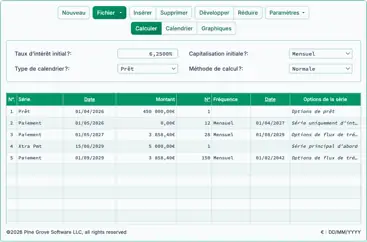
Capture d’écran de l’interface de l’Ultimate Financial Calculator

Section promotionnelle Ultimate Financial Calculator

Choisissez vos couleurs :

How to Calculate a Mortgage or Loan Term

Determine how many months it will take to fully repay the loan.

To select your preferred currency and date format, click the “$ : MM/DD/YYYY” link in the lower right corner of any calculator.

advertisement
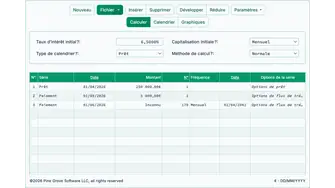
A Step-by-Step Tutorial
Tutorial 5

Calculate the loan term (total number of payments) for a conventional mortgage or loan when the regular payment amount is known. All financial calculators on this website can calculate the term of a cash flow. However, the Ultimate Financial Calculator can also calculate the term after a change in the payment or interest rate.


Before using this tutorial, complete the more detailed first tutorial to understand the core concepts and default settings of the Ultimate Financial Calculator (UFC).


To calculate an unknown loan term, follow these steps:

  1. Définissez le type d'échéancier sur prêt.
    • Alternatively, click to clear any existing data.
  2. Cliquez , puis sélectionnez Options d’arrondi.Set Rounding to Adjust last interest.
  3. Dans la section d’en‑tête, appliquez les paramètres suivants :
    1. Pour la méthode de calcul, sélectionnez normale.
    2. Définissez la capitalisation initiale sur mensuel.
    3. Saisissez 5,0 pour le Taux d’intérêt initial.
  4. Create a Loan series in row 1 of the cash-flow input area.
    1. Set the Date to September 1, 2024.
    2. Set the Amount to 50,000.00.
    3. Définissez le Nombre (de périodes) sur 1.
      • Note: Because the number of periods is 1, you cannot select a frequency.
  1. Click the second row of the cash‑flow input area. Select “Payment” for “Series”.
    1. Set the Date to October 1, 2024, if it is not already set.
    2. Set the Amount to 600.00.
      • This sets the regular payment to $600.00 per month until the loan balance reaches zero.
    3. Press Tab to move to Number (of Periods). Type U to set it to “Unknown”. See Fig. 1.
    4. Définissez la Fréquence sur Mensuel.

Votre calculatrice devrait maintenant apparaître comme indiqué ci‑dessous :

Calculate term
Fig. 1 Preparing to calculate the term of a loan
  1. Click . The result is 103. See Fig. 2.
Calculating term result
Fig. 2 Calculated result
  1. To view a detailed amortization schedule that shows the monthly breakdown of principal and interest, click above the input area.

Remarque : The number of periods must always be a whole number. If Number (of Periods) is set to unknown, the calculator returns an integer value only. This may result in a large rounding difference. If Rounding is set to Open Balance, the final balance may be slightly above or below zero.

If the loan is overpaid (ending balance is below zero), decrease the calculated Number (of Periods) by one. This will bring the balance above zero. If the balance is above zero, increase Number (of Periods) by one. This will bring the balance below zero. In either case, in Rounding Options, select Adjust last amount to reach “0” balance to ensure the loan is completely paid off. You are not required to use the exact calculated term. You may adjust the term and rounding settings to meet your specific requirements.

Variations: In some cases, the borrower selects the payment amount, and the lender specifies the term. Using the same inputs as above, the lender may accept a $600.00 monthly payment but require full repayment in eight years (96 payments). To do this, modify Step 5: set Number (of Periods) to 96. Then, in Rounding Options, select Adjust last amount to reach “0” balance.

In this variation, there is no unknown value. Click to view the schedule. Although the borrower makes $600.00 monthly payments, the final payment—required to repay the loan in eight years—will be $4,484.92. See Fig. 3.

Adjusted loan term
Fig. 3 Adjusted loan term with large final payment

When calculating the term, the final period may include a rounding adjustment—especially if Rounding is not set to Open Balance. Because the payment and interest rate are fixed, the calculation may mathematically require a fractional period. However, loan schedules must use whole periods—such as 180 payments, not 180½. Therefore, the last payment amount may need to be adjusted. You may increase or decrease the calculated term to reduce the size of this adjustment.

Retour à la Ultimate Financial Calculator.

advertisement